CineReel · App Guide & Features
Your library.
Perfectly played.
A fast, native Plex and Jellyfin client for Apple TV, iPhone, iPad, and Mac. No CineReel servers. No middlemen. Just your media — on every screen you own.
Honesty department: here's what's not supported yet.
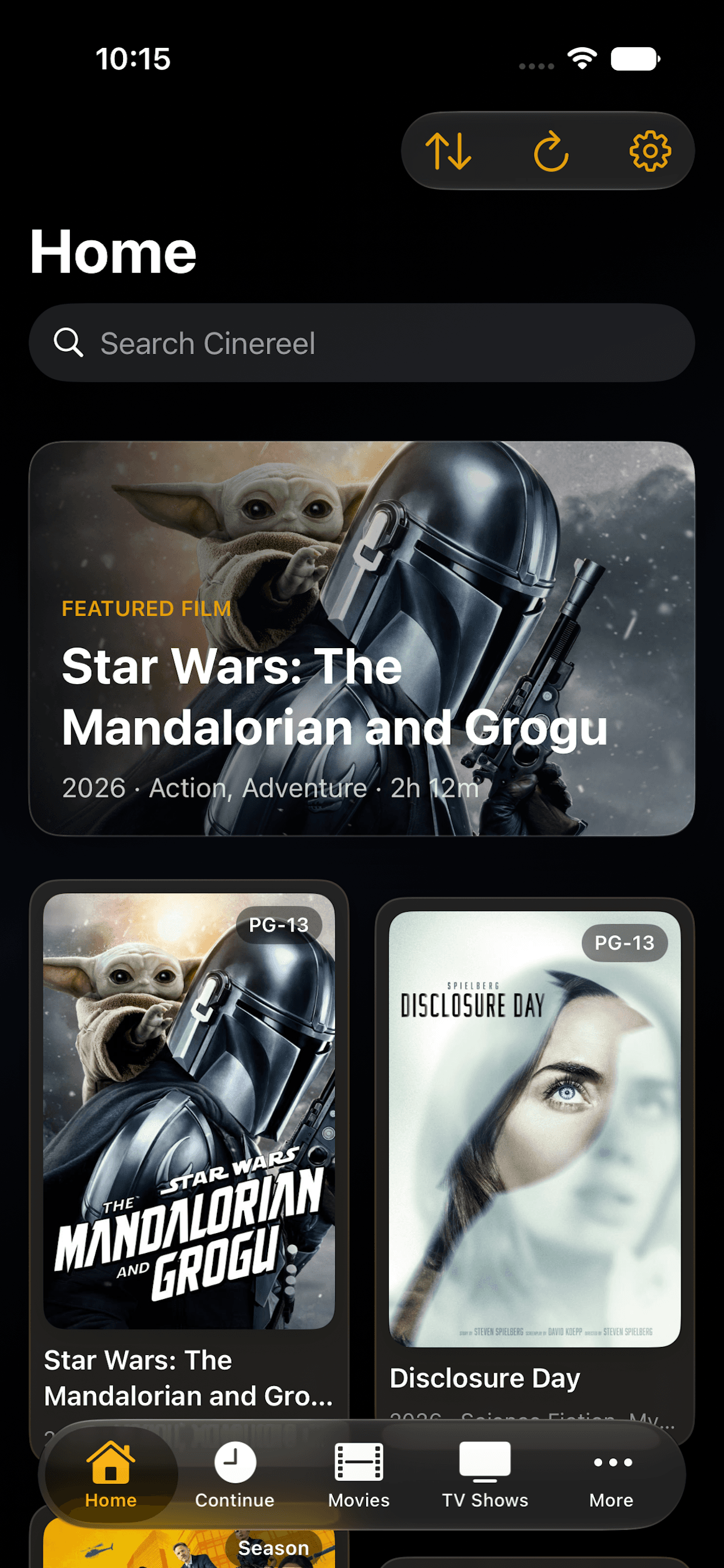
iPhone
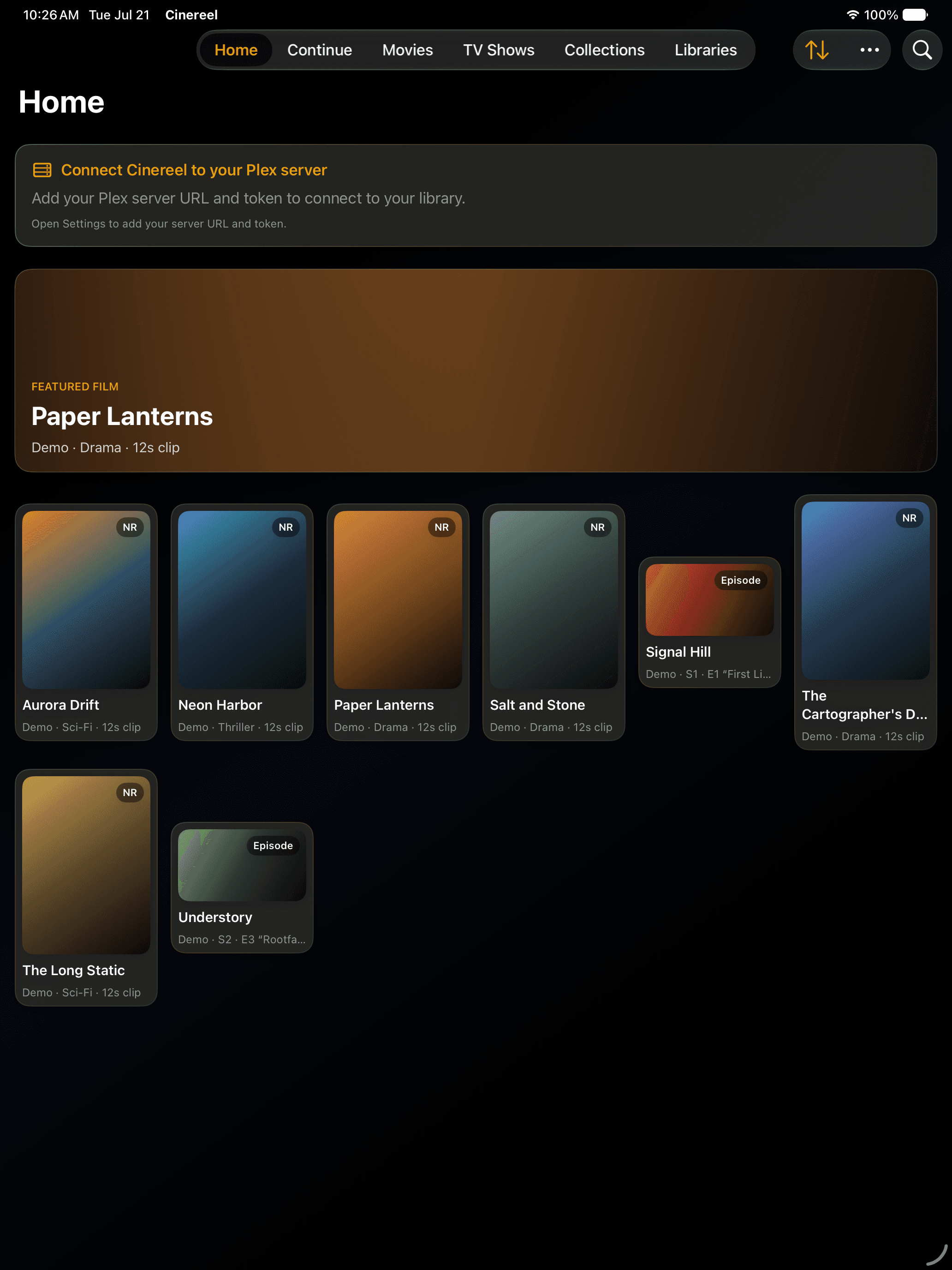
iPad
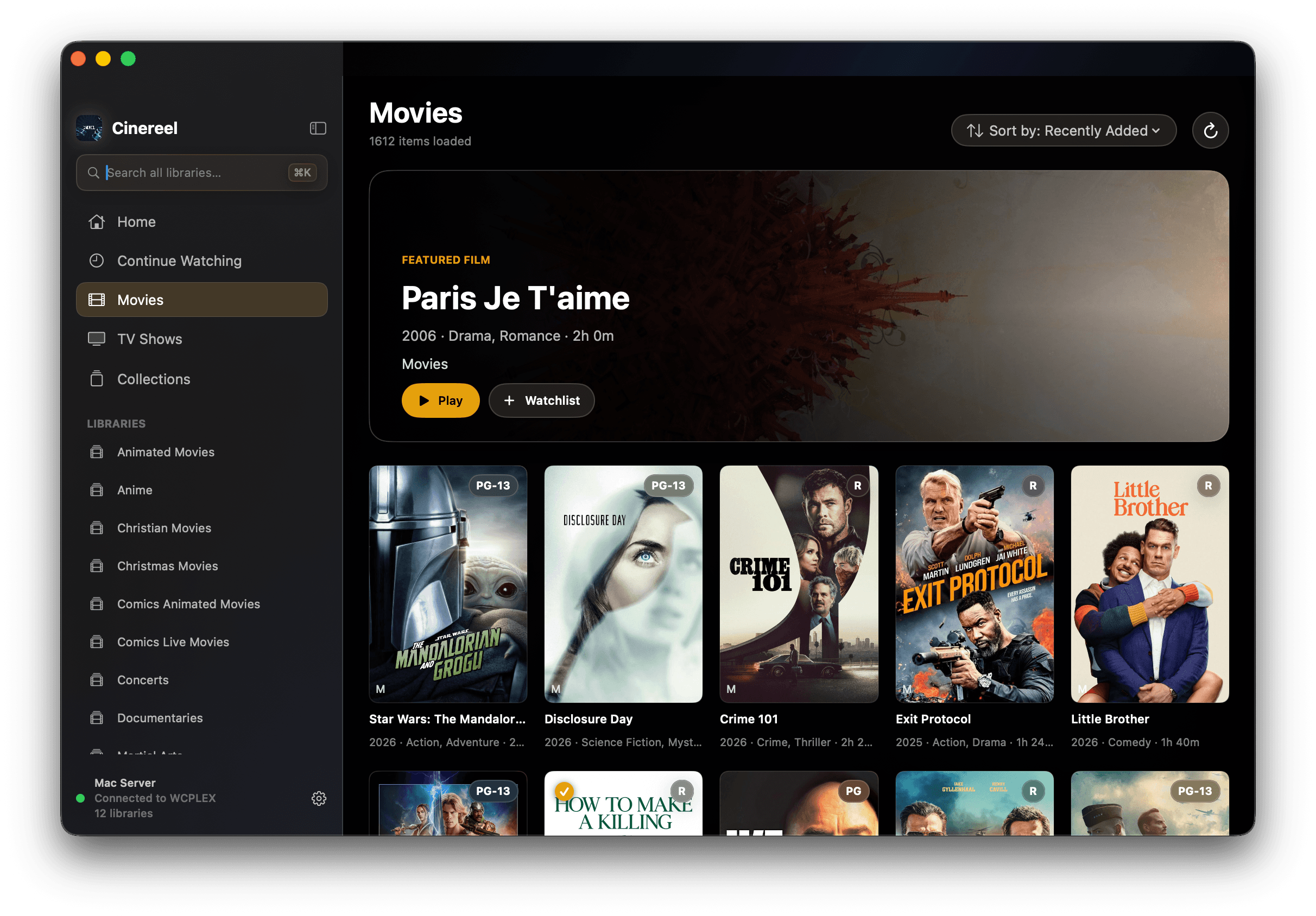
Mac
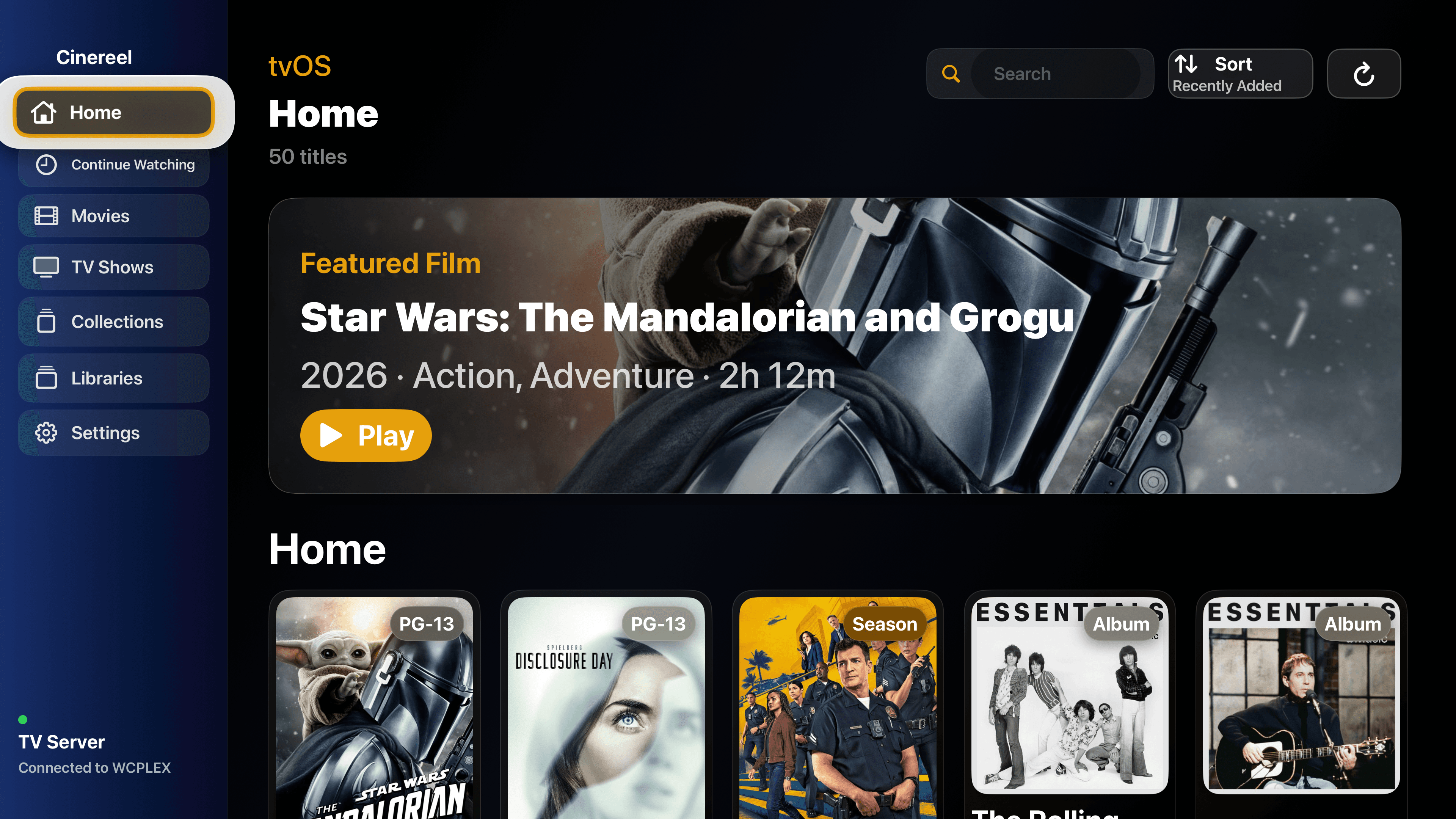
Apple TV
Setup
On in seconds. On every device.
Connecting your first server takes less than a minute — and your token never leaves your device.
📺
Apple TV — QR setup
For Plex, open CineReel on your Apple TV and a QR code appears on screen. Scan it with your iPhone, enter your server URL and token once, and the Apple TV connects automatically. Zero remote typing. For Jellyfin, open Settings › Servers › Connect to Jellyfin and enter the Quick Connect code.
📱
iPhone, iPad & Mac
Open Settings and add your Plex or Jellyfin server. Jellyfin signs in with a username and password or Quick Connect. Your server token is stored in the Keychain — never in plain text, never in logs, never sent anywhere except your own server.
Library
Your entire collection, beautifully organised.
Every corner of your Plex or Jellyfin library, one click away.
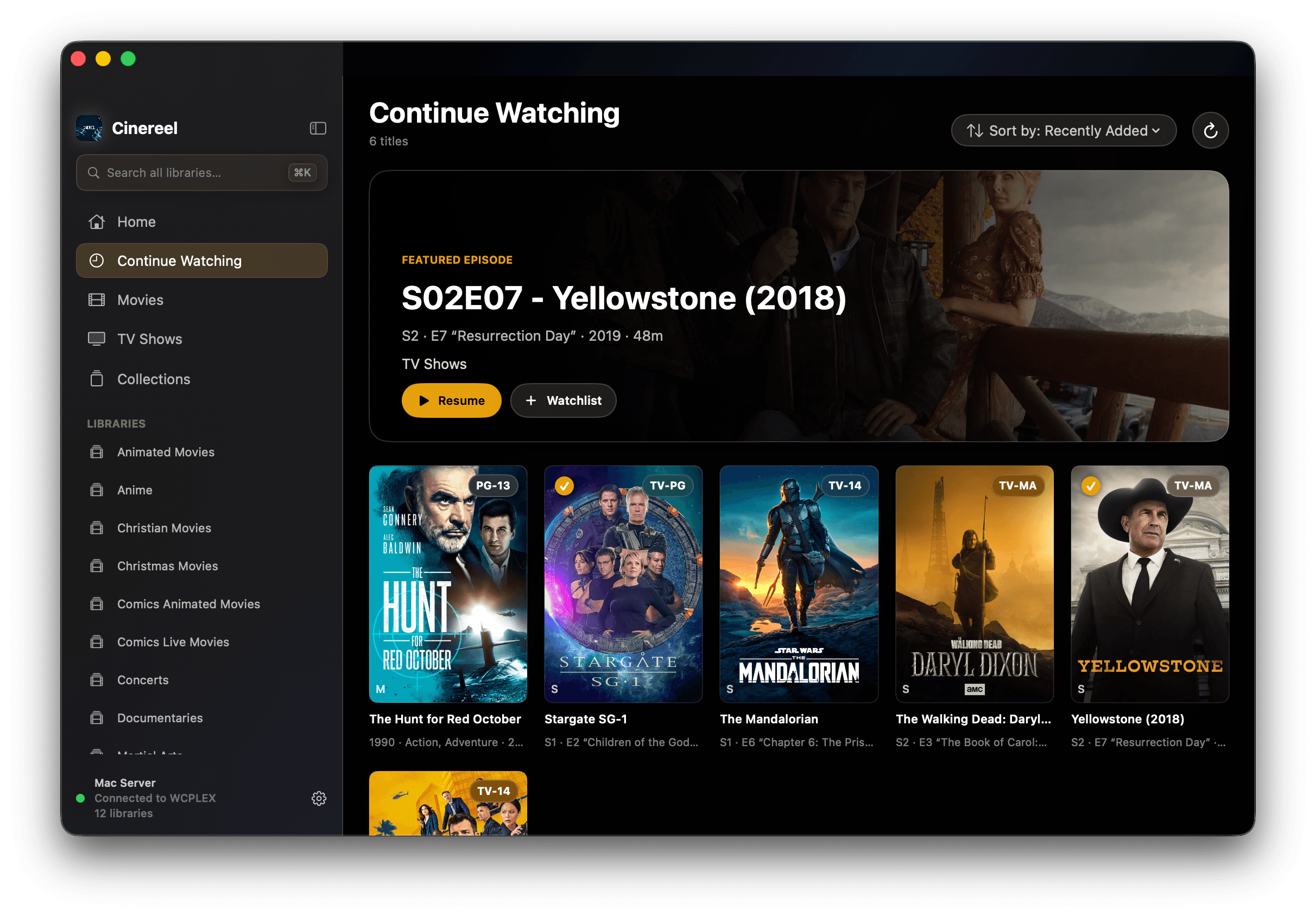
Home
Hero spotlight. Continue Watching. Recently Added. Curated and ready.
Libraries
Browse every movie and TV library with poster art. A ✓ marks what you've already watched.
Series → Seasons → Episodes
Full drill-down for every show. Exactly where you'd expect each step to be.
Collections
Your Plex collections, complete with artwork and the full poster grid.
Search
Find anything, across every library on your server, instantly.
Gold focus ring
A signature gold highlight follows focus everywhere on Apple TV — crisp, confident, unmistakably CineReel.
Detail pages
Synopsis, cast, director, studio, audience score and “More like this”, with Play or Resume, seasons and episodes.
Watchlist, Up Next & Mark Watched
Add titles to your Watchlist or Up Next, and mark them watched, straight from the detail page.
Library scan
Ask your server to scan for new media without leaving the app.
Player
One player. Every screen.
The same polished controls on the couch, the train, and the desk — built from scratch for every platform.
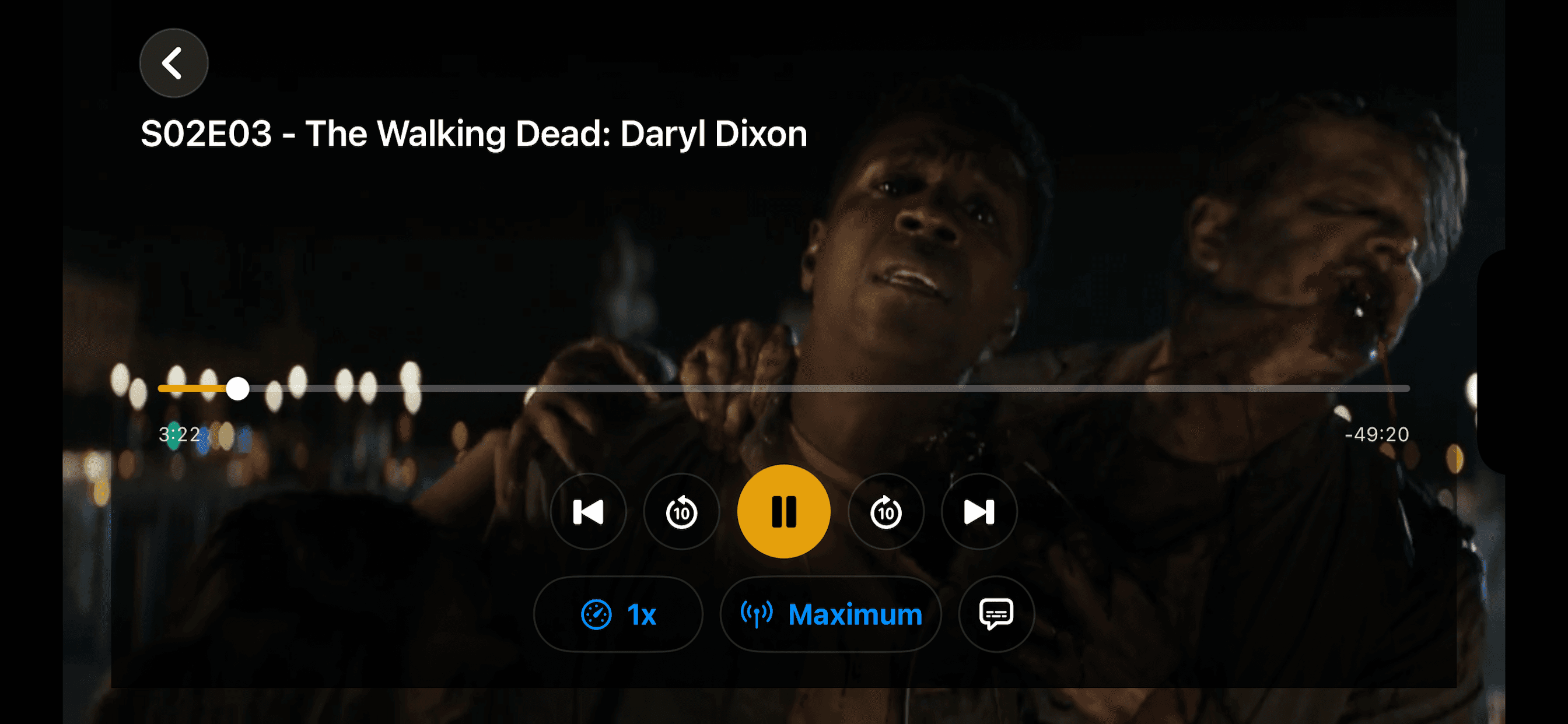
Scrubber
A full timeline with elapsed and remaining time. Drag or swipe the Siri Remote to seek anywhere — frame-accurate and instant.
TV episode
Movie
Previous / Next always jump within the series — no matter where you started the episode from.
Speed control
0.5× to 2×. If your server can't keep up at high speed, CineReel quietly steps back to 1× instead of breaking your stream.
Quality
Subtitles
One tap on the speech-bubble icon toggles captions. The stream refreshes momentarily and resumes exactly where you left off.
Volume & fullscreen
Volume slider on Mac, iPad, and iPhone landscape. iPhone portrait uses hardware buttons. Full-screen mode on Mac.
Smart extras
Skip Intro (Pro)
Auto-skips intros and credits using your server's markers.
Up Next
A countdown near the end of each episode rolls straight into the next — automatically.
Warm-up
CineReel quietly cues the next episode ~30 seconds before the current one ends. Instant transitions.
Back to library
When a movie — or the last episode — finishes, you return to the library instead of a frozen frame.
Rewatch from the start
Replaying something you've finished starts from the beginning, not the final seconds.
Auto-hiding controls
The bar fades during playback. Touch, move, or tap to bring it back.
Chapters
Jump between chapters when your media has them.
Offline downloads (Pro)
Download titles to watch offline on Mac, iPhone, and iPad. Not available on Apple TV.
Engine
Bulletproof, by design.
CineReel doesn't just start a stream — it manages a whole fallback chain so playback survives real-world hiccups.
Automatic source selection
Tries the best stream first, then steps through alternatives — lower-bitrate encodes, remuxes — until something plays.
Codec guard
Sound but black screen? CineReel detects an incompatible codec within seconds and silently switches to a compatible stream.
Patient stall recovery
Brief buffering is ridden out with progressively longer grace periods. Sessions restart only when they truly have to.
Self-healing errors
Network blips trigger automatic retries. If a stream recovers on its own behind an error message, the message dismisses itself.
Long-pause recovery
Pause for an hour. Come back. Press play. CineReel rebuilds the stream at your exact position instead of buffering forever.
Resume everywhere
Positions sync through your Plex or Jellyfin server. Stop on Apple TV. Pick up on the iPad. It's waiting exactly where you left it.
Apple TV
Top Shelf. Great movies, front and centre.
Put CineReel in the top row of your Apple TV home screen and the shelf above it becomes “Great Movies To Watch” — a scrollable row of top-rated films pulled live from your own library. Select one and it deep-links straight into playback. Works offline too, with a curated poster set and a designed banner as graceful fallbacks.
Diagnostics
Built for real troubleshooting.
Not just a log dump — a purpose-built tool for diagnosing exactly what's happening.
Live event log
Playback and network events in real time. Filter by Errors, Warnings+, or All.
Version line
Every build is stamped. You always know exactly which version you're running.
Upload Log — Apple TV ready
One tap uploads the log and shows a QR code. Scan with your phone to open it in a browser — perfect where you can't copy text.
Token-redacted
Every URL in the log has your server token automatically stripped before it ever leaves the device.
Updates
Always current. Effortlessly.
Updates arrive through the App Store on every device — iPhone, iPad, Mac, and Apple TV.
Privacy & Security
Your library stays yours.
No CineReel servers. No analytics. No accounts. Just your media and your devices.
Keychain-stored token
Your server token is marked never-to-leave-the-device. It lives in the system Keychain, not in your logs, not on our servers.
Direct connections only
CineReel talks only to your own server, plus cinereel.app for Apple TV pairing and optional diagnostic-log upload. Nobody else.
Redacted before upload
Diagnostics logs are scrubbed of tokens before they leave your device. Always.
Zero accounts
No CineReel login. No tracking. No ad network. Your library is yours — we never see it.
Read our full Privacy Policy and Privacy Choices.